Free to install

Your plan and your dietitian, in one app

Diet chart, trackers, dietitian chat and reminders, in one app. No app store needed.

Free to install on Android and iPhone. You sign in with your email.

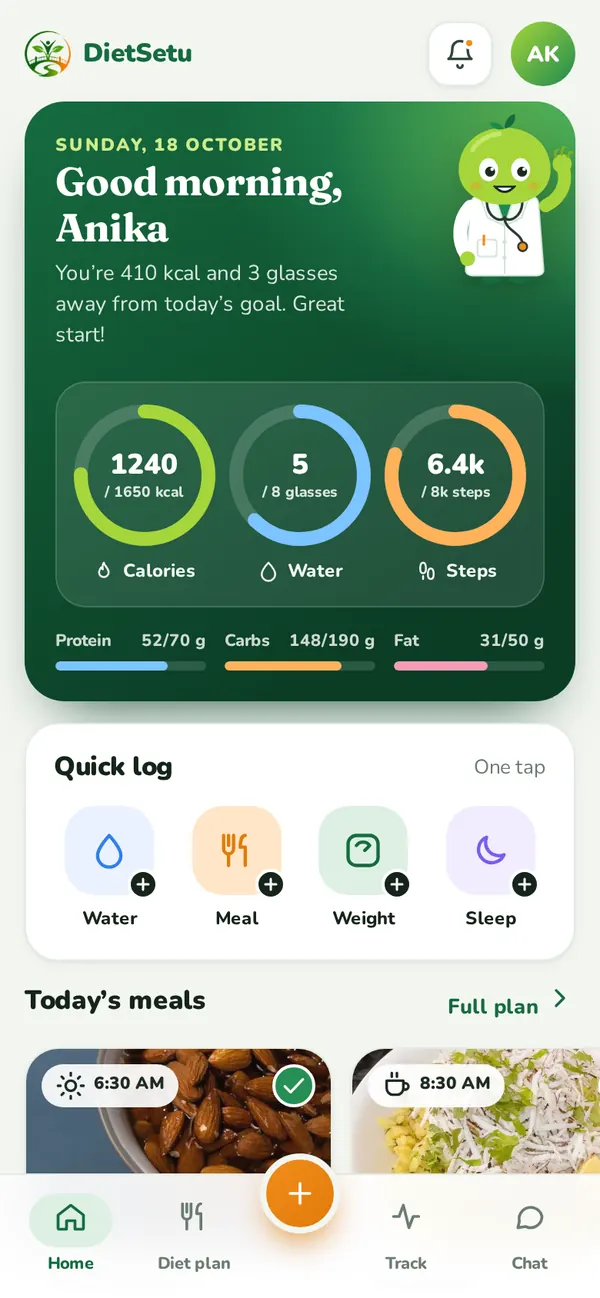
DietSetu app home screen with today’s calories, water and steps (sample data)

What you get

Your diet chart

Your daily Indian meal plan.

Daily trackers

Meals, water, weight, sleep, cycle.

Chat with your dietitian

Ask between check-ins.

Voice or video consultations

Join from the app.

Reminders

Meals, water, check-ins.

Private and secure

Only you and your dietitian see it.

A look inside
Simple screens, made for busy days

App home screen with calorie, water and step rings (sample data)
Today at a glance
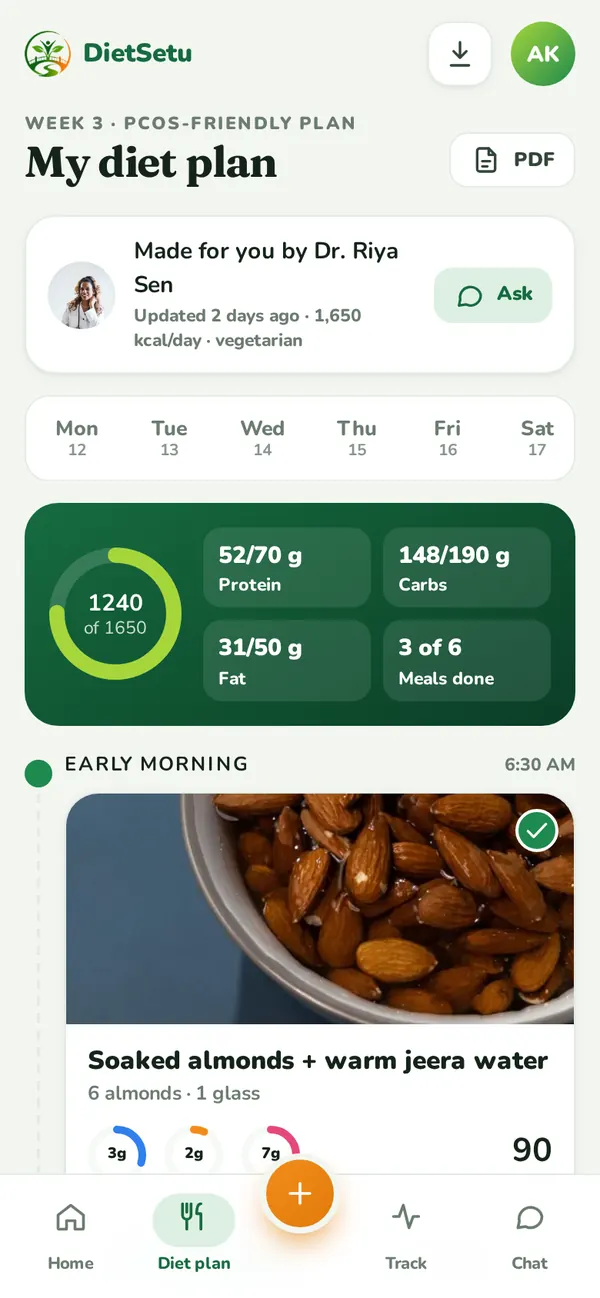
App meal plan screen with the day’s meals (sample data)
Your meal plan
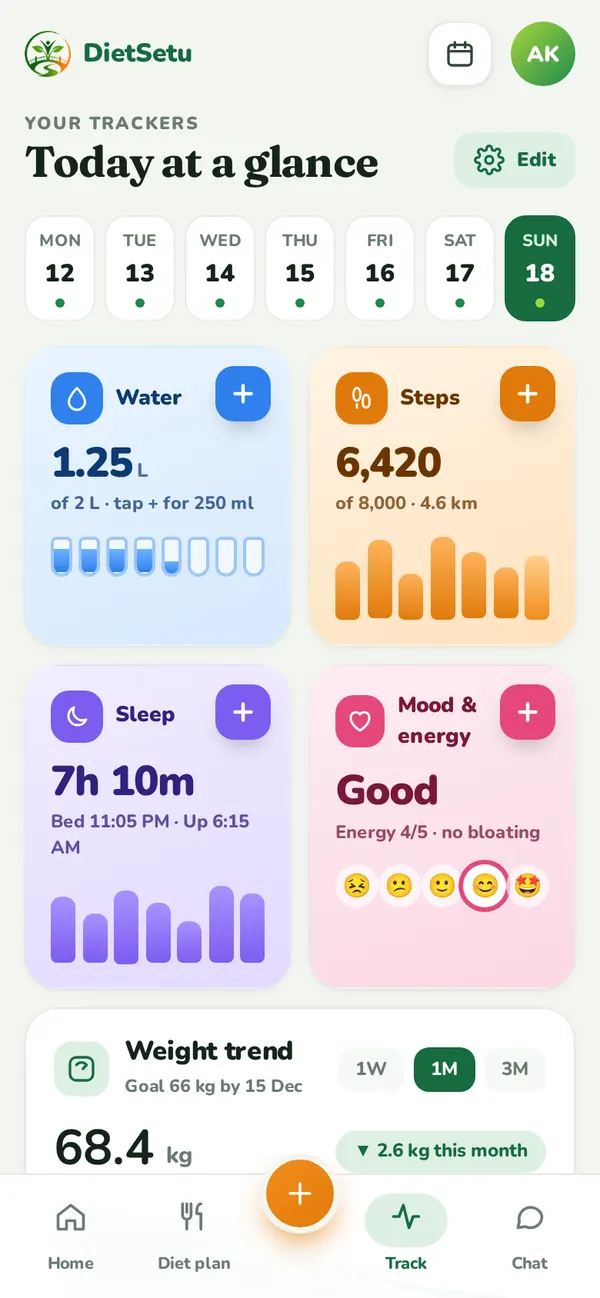
App trackers screen (sample data)
One-tap trackers
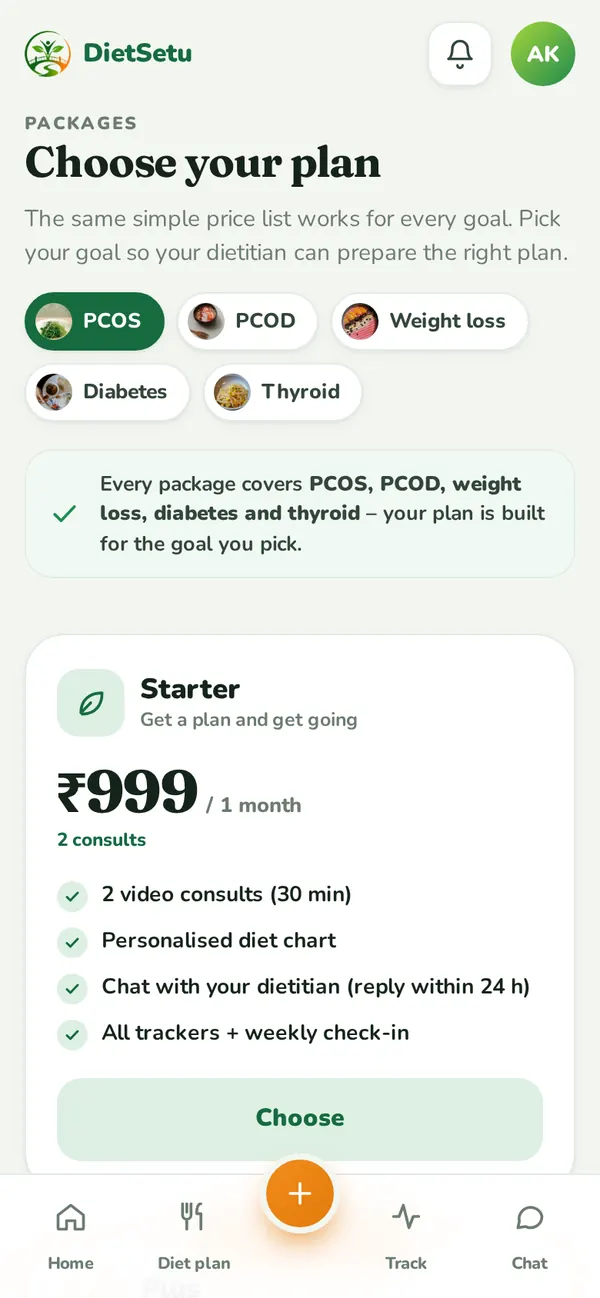
App packages screen with plan prices (sample data)
Packages

Screens show sample data.

Install in a minute

How to install the DietSetu app

Add it to your home screen in a minute.

Android

Use Google Chrome.

  1. Open app.dietsetu.in in Chrome.
  2. Tap Install when the install message appears. If you don’t see it, tap the ⋮ menu at the top right, then Install app or Add to Home screen.
  3. Tap Install again to confirm.
  4. Open DietSetu from your home screen and sign in with your email.

iPhone

Use Safari (the built-in browser).

  1. Open app.dietsetu.in in Safari.
  2. Tap the Share button (the square with an arrow pointing up) at the bottom of the screen.
  3. Scroll down and tap Add to Home Screen.
  4. Check the name says DietSetu, then tap Add at the top right.
  5. Open DietSetu from your home screen and sign in with your email.

Open the DietSetu app

Free to install. Your plan appears after you join a package.

Questions about the app

Is the app free?

Yes, the app is free to install. Your plan, check-ins and dietitian support come with your package.

Do I need the Play Store or App Store?

No. The app installs straight from app.dietsetu.in in your phone’s browser, so it takes very little space and updates on its own.

Does it work on iPhone?

Yes. Open app.dietsetu.in in Safari, tap Share, then Add to Home Screen.

I bought a package on the website. Do I sign up again?

No. You use the same email in the app, and your package is already there.

Is my information private?

Yes. Only you and your dietitian see your details. See our Privacy Policy.

New to DietSetu?

Start with a free 10-minute PCOS check chat, or pick a package.

Free 10-minute PCOS check chat
CallWhatsApp